How it works
How we turn your child's photos into a coloring book
You send a few photos and pick their adventures. We draw your child into 12 coloring pages, you check every one, then we print the book and bring it to your door.
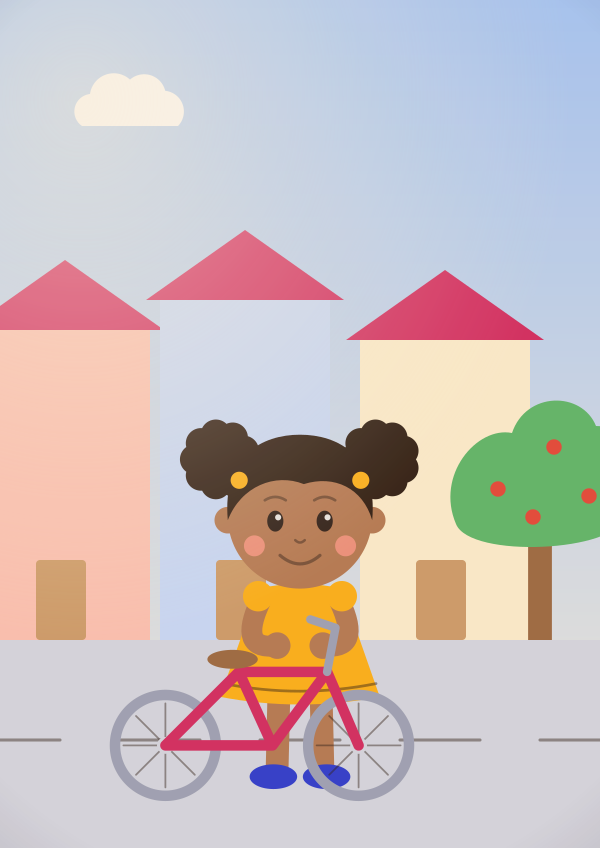
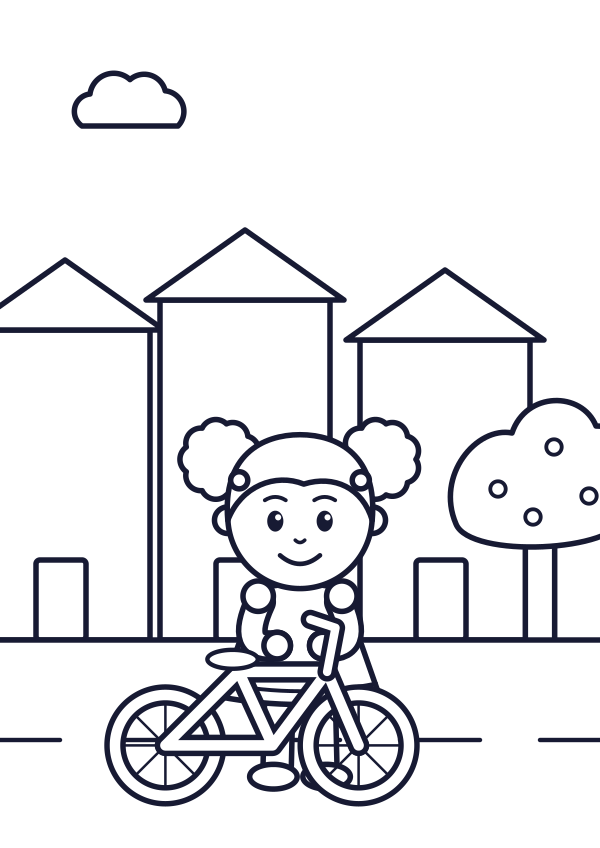
From photo to doorstep, step by step
The studio takes you through it in this order. It saves as you go, so you can stop and come back later.
Tell us who the hero is
Their name, printed exactly as you type it. Boy or girl, so every sentence in the book speaks to them correctly. Their age, for the line thickness. And the book language: Arabic books open from the right.
Add 3 to 12 photos
Studio step: PhotosEach photo becomes one coloring page. Drag the photos to set the page order.
Pick the story
Studio step: StoryChoose up to 3 worlds for the adventures, and a drawing style (Doodota Classic, Storybook or Cartoon). Add one line about something they love, and a dedication if you like.
Meet their character
Studio step: CharacterWe first draw your child's character from your clearest photos, with a few photo pages so you can check the style. Approve it, or ask us to draw it again.
Review every page
Studio step: PagesApprove each page, ask for a redraw and tell us why, or replace the photo behind it.
Design the cover
Studio step: CoverPick the title, the colour, the layout and the cover art: their character or any page you approved.
Flip through and approve
Studio step: ReviewSee the whole book page by page, in print order. When you approve, we keep that exact version for printing.
We print and deliver
Choose softcover or hardcover, add any gift extras and pay. We print the book and deliver it anywhere in Egypt. Follow it on the Track order page.
Photo tips
Which photos work best
We draw from what we can see in the photo. The clearer the face, the more the drawings look like them.
Look for
One child, clearly the star
They should be the main person in the photo. One child per photo works best.
A face you can see
Looking at the camera or close to it. Not hidden by sunglasses, a cap, a hand or a very big ice cream.
Good light
Daylight by a window or outdoors. Not too dark, and no bright window right behind them.
Sharp, not blurry
If their face looks soft when you zoom in, pick another one.
Close enough
Their face should not be tiny in the frame. If they are far away in the shot, choose a closer one.
A real moment
Birthday candles, a beach day, the first bike ride. Each photo becomes its own page, so different moments make a richer book.
Skip these
- Big group photos where they are hard to find
- Heavy filters, stickers or drawings over the face
- Very dark, blurry or far-away shots
Screenshots and old printed photos are fine if the face is clear. For a print, photograph it flat, in daylight, without glare.
Files and sizes
JPG, PNG or WebP, up to 15 MB each. If a photo is bigger, the studio tries to make it smaller for you.
iPhone photos (HEIC)
HEIC files are not accepted as they are. On an iPhone, pick the photos from your gallery in the studio and they arrive as JPG on their own. On a computer, save them as JPG first.
The 12-page math
How many photos should I send?
Every book has 12 coloring pages. Each photo you send becomes one page, and we draw the rest as new adventures starring your child.
Only 3 good photos?
That is enough. We draw their character from your clearest photos and use it on every adventure page.
Lots of favourite moments?
Send up to 12 and every page is a real memory. Adventure worlds then become optional.
Somewhere in between?
You get both: memories they will recognise and adventures they have never had.
From your photoNew adventure
3 photos plus 9 adventures make 12 pages
6 photos plus 6 adventures make 12 pages
12 photos: every page is a real memory
Made for their age
Line thickness follows their age
Small hands need big shapes and thick lines. Older kids enjoy detail. You pick their age in the studio and every page follows it.
2-3 yrs
Chunky lines, big shapes
- Lines about 1.8 mm thick
- About 8–22 areas to color on a page
4-5 yrs
Classic lines, playful detail
- Lines about 1.3 mm thick
- About 20–45 areas to color on a page
6-8 yrs
More detail to discover
- Lines about 0.95 mm thick
- About 40–85 areas to color on a page
9+ yrs
Intricate, patient pages
- Lines about 0.7 mm thick
- About 80–160 areas to color on a page
Between two bands? Go younger if they still hold crayons in their whole fist, and older if they love small details.
These are the targets we draw to, and each page varies a little. Change the age later and we redraw the pages you have not approved yet.
Nothing prints without you
You see and approve every page first
The book goes to print only after you approve all 12 pages, the cover and the whole book.
Approve or redraw
Approve each page, or ask for a redraw and tell us what to change.
Go back a version
Liked the earlier drawing better? Switch back to it.
Swap the photo
Replace the photo behind any photo page, and we draw that page again.
Approve the whole book
Flip through it in print order. Changed something after you approved? Just approve again.
When you ask for a redraw, you can tell us, for example:
- Doesn't look like my child
- Lines too thin
- Too detailed
- Background too busy
The studio shows how many free redraws are left for your book.
These are drawings, not photos, so some pages will look more like your child than others. Redraw any page that does not feel like them.
Photo safety
What happens to the photos
Children's photos are precious. Here is the short version.
Read the full photo safety page- Stored privately, with no public links.
- Location and other hidden details are removed when you upload.
- Used only to draw this book. Never sold, shared or used to train any software.
- The printer gets the finished pages, never your photos.
- Deleted 30 days after delivery. You can delete the book yourself any time before printing starts.
An honest note
Free photo-to-coloring tools, or a Doodota book?
There are free websites and apps that turn one photo into a coloring page. If you want a quick page to print at home, they can be all you need.
A free converter
- One photo in, one outline out
- You print it yourself, on the paper you have
- Each page stands on its own
A Doodota book
- The same child, drawn the same way across all 12 pages
- Real moments plus new adventures in the worlds you pick
- Lines set for their age
- You check and approve every page
- Laid out with a cover, a name page and your dedication, then printed and delivered across Egypt
Quick answers
Can I use old printed photos or screenshots?
Yes, if the face is clear. Photograph the print flat, in daylight and without glare, or use the sharpest screenshot you have.
What if a sibling or a parent is in the photo too?
Pick photos where your child is clearly the main person. One child per photo works best, because every page is drawn around one hero.
I only have a few good photos. Is that enough?
Yes. 3 clear photos are enough to start. We take their look from those photos and draw the adventure pages with it.
Can I change things after I start?
Yes, until you approve the book. Changing the age or the drawing style redraws the pages you have not approved yet. Removing a world replaces its adventure pages.
Do I have to finish in one go?
No. The studio saves as you go. Sign in, and you can carry on from any device.
Ready when they are.
A few photos and about ten minutes from you. A book starring them, at your door.
Create their bookPreview before printDelivered across Egypt